Live MIDI Performance Software Live-MIDI-Performance-Software

Take Control of Your
Live MIDI Setup
Übernehmen Sie die Kontrolle über Ihr
Live-MIDI-Setup

Create keyboard splits, layer sounds, customize controller assignments, and control your entire performance with ease. Stagehand MIDI Master helps you focus on your music instead of technical details. Erstellen Sie Keyboard-Splits, überlagern Sie Sounds, passen Sie Controller-Zuweisungen an und steuern Sie Ihre gesamte Performance mühelos. Stagehand MIDI Master hilft Ihnen, sich auf Ihre Musik zu konzentrieren statt auf technische Details.

Coming Soon on the Bald im App Store
Coming Soon Demnächst
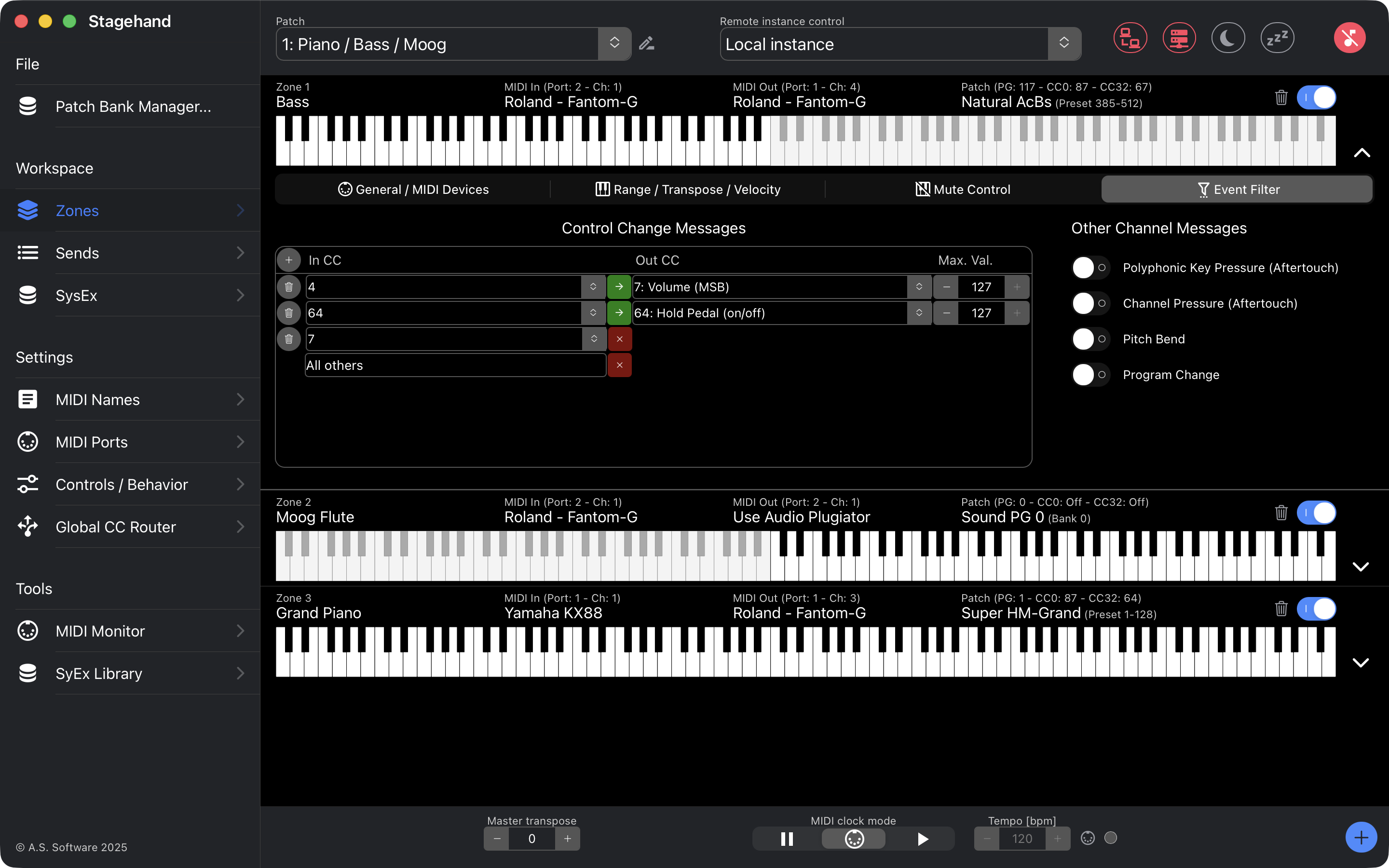
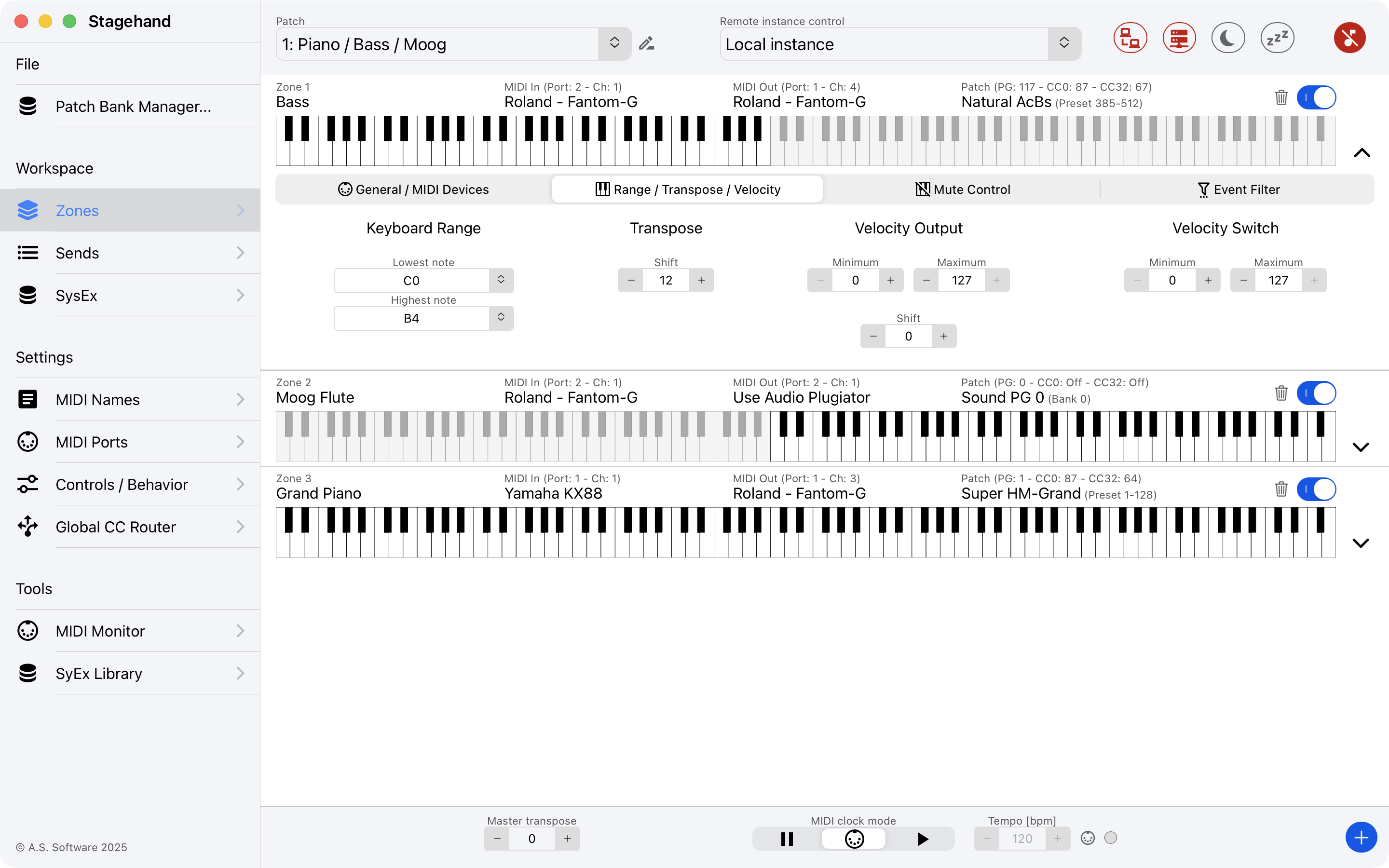
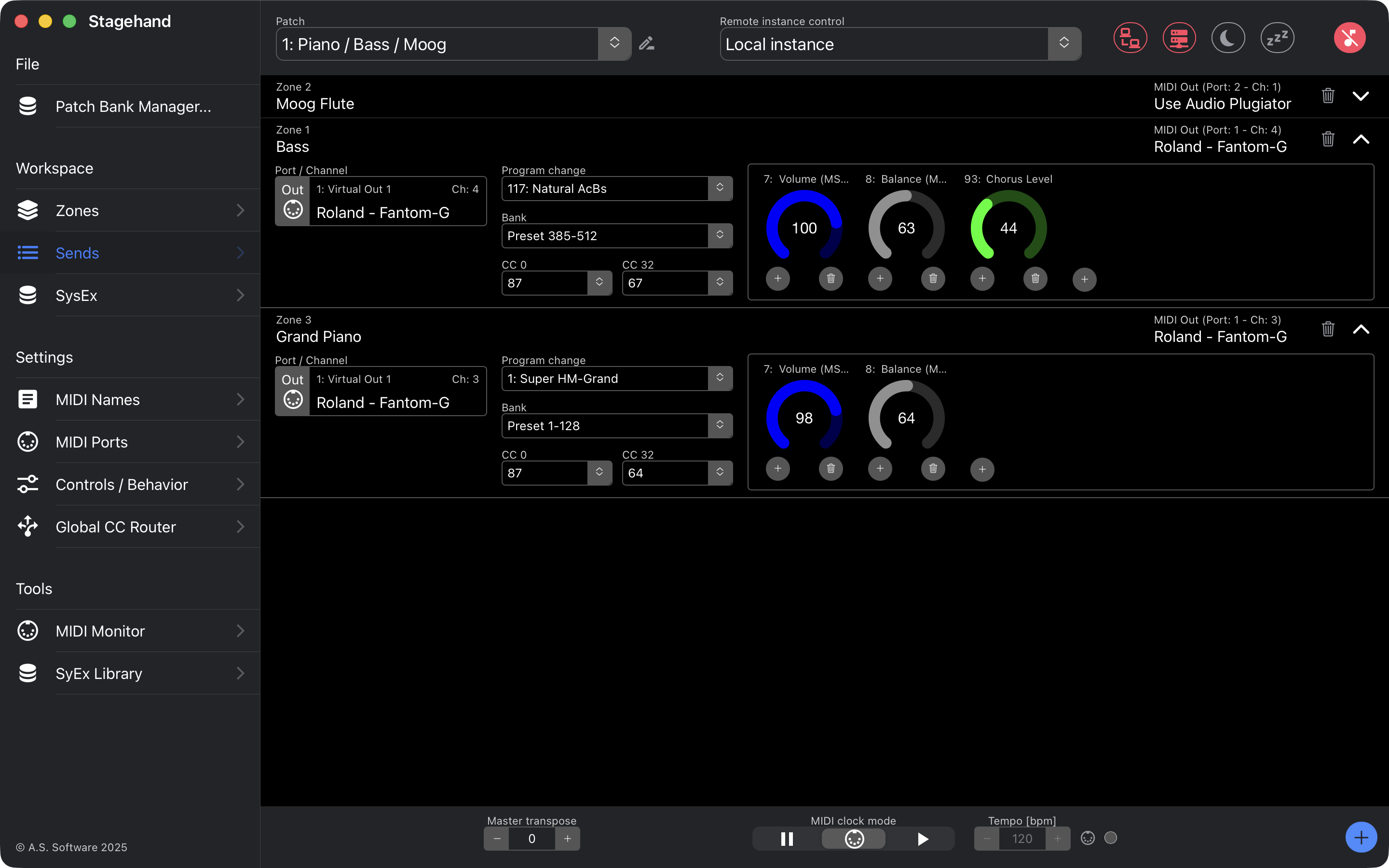
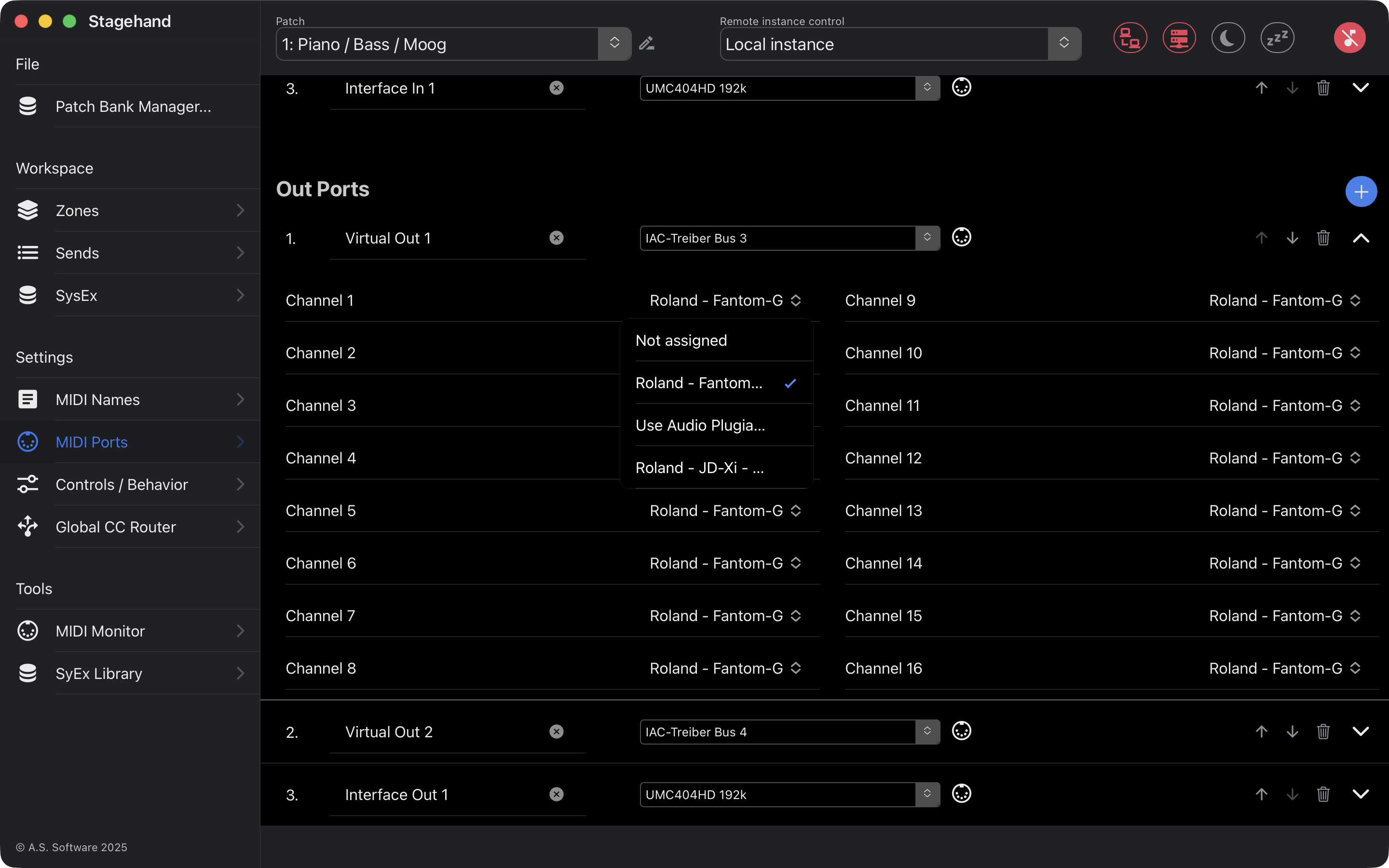
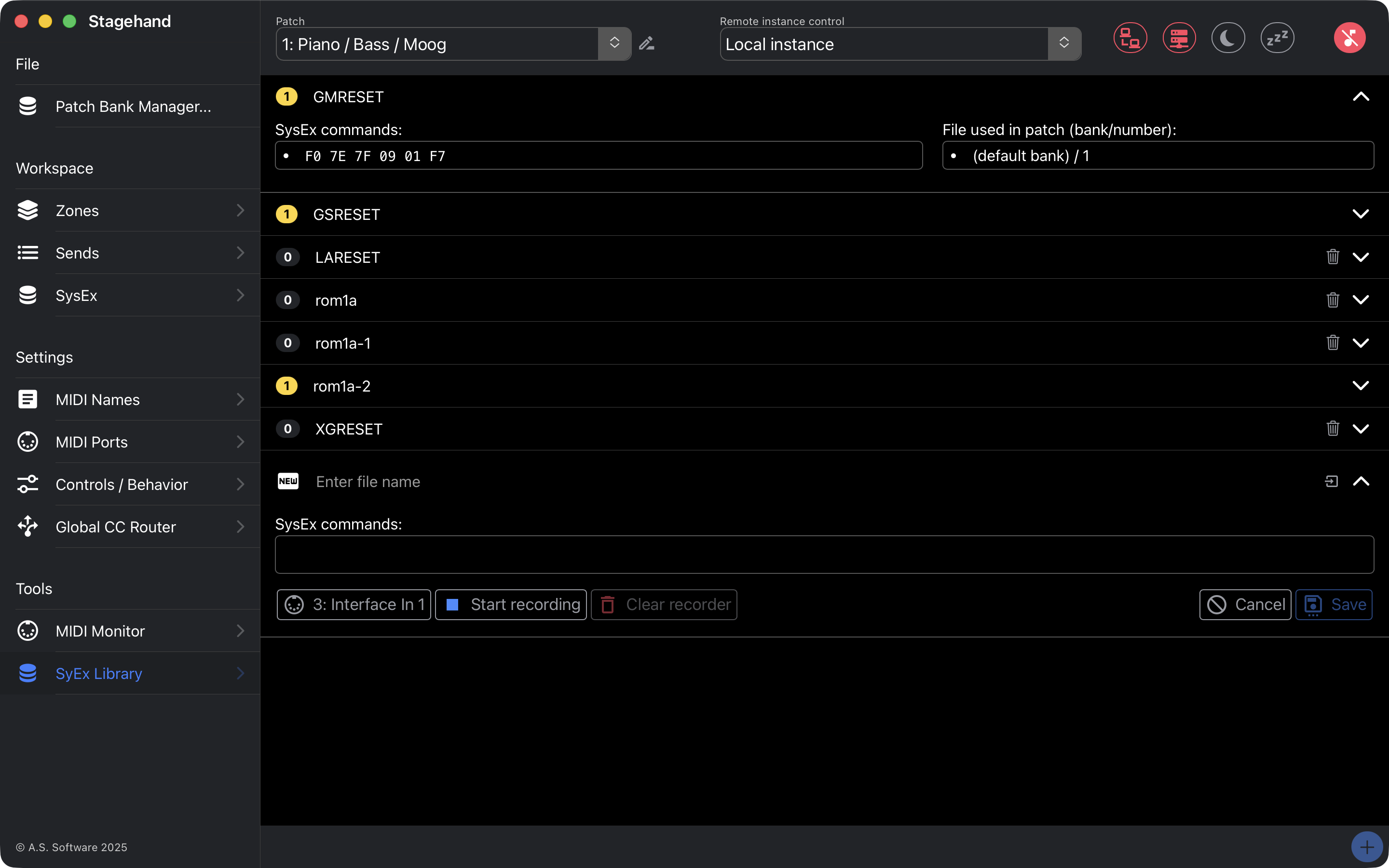
Stagehand MIDI Master Screenshot

Everything You Need on Stage Alles, was Sie auf der Bühne brauchen

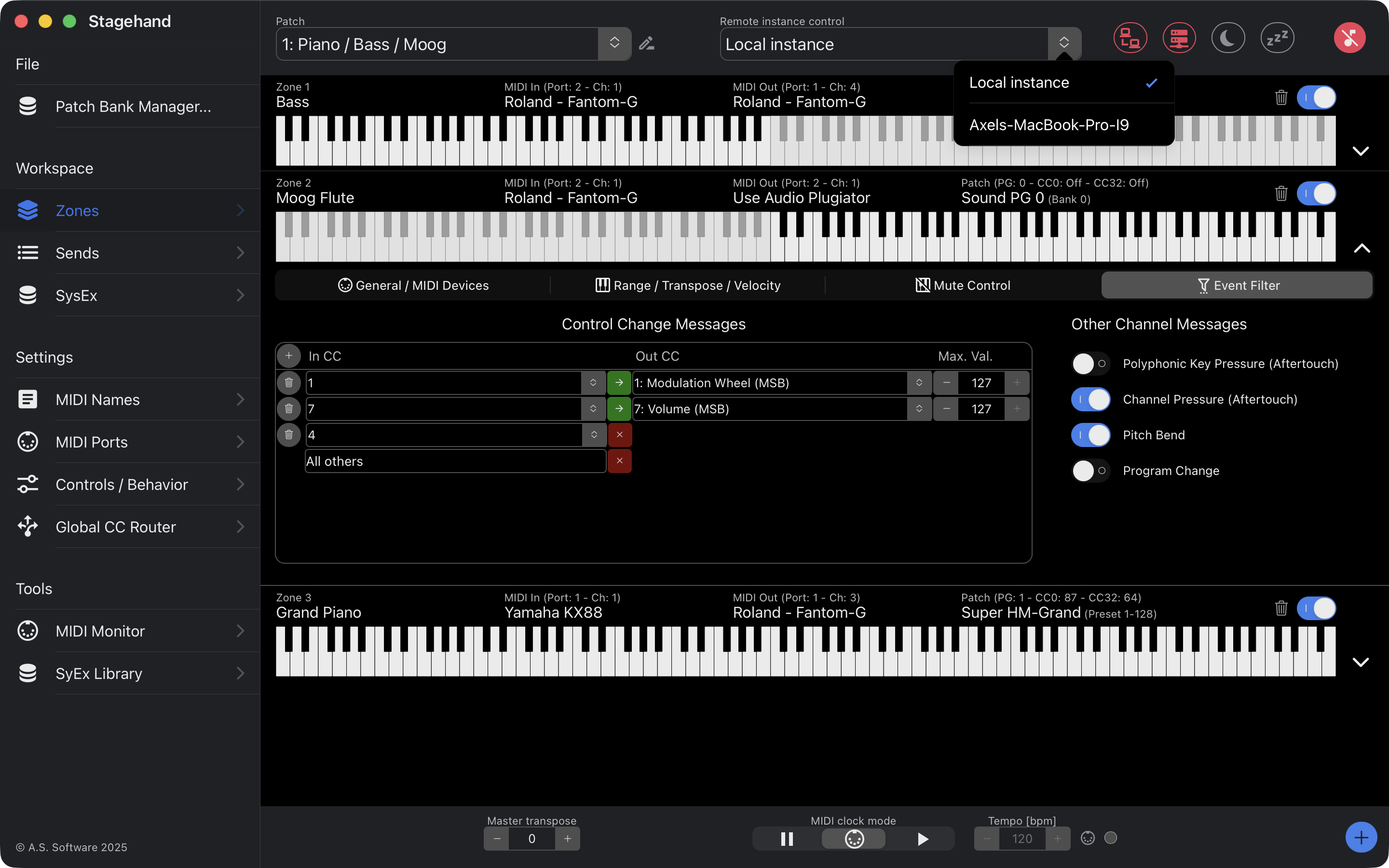
Splits & Layers Splits & Layer

Divide your keyboard into as many zones as you need and layer multiple sounds seamlessly. Teilen Sie Ihre Tastatur in beliebig viele Zonen auf und überlagern Sie mehrere Sounds nahtlos.

Powerful MIDI Routing Leistungsstarkes MIDI-Routing

Route any incoming MIDI event to any output with sophisticated per-zone processing rules. Leiten Sie jedes eingehende MIDI-Ereignis mit ausgeklügelten zonenbasierten Verarbeitungsregeln an jeden Ausgang weiter.

128 Patches per Bank 128 Patches pro Bank

Save all your settings in up to 128 patches per bank. Create unlimited banks – one per song, per venue, or per project. Speichern Sie alle Einstellungen in bis zu 128 Patches pro Bank. Erstellen Sie beliebig viele Bänke – pro Song, Veranstaltungsort oder Projekt.

Controller Mapping Controller-Zuordnung

Reassign any controller – sustain pedals, mod wheels, expression pedals – to exactly what you need. Weisen Sie jedem Controller – Haltepedal, Modulationsrad, Expressionpedal – neue Funktionen zu, ganz nach Ihrem Bedarf.

Remote Control via Network Fernsteuerung über das Netzwerk

Run in client/server mode to control a rack-mounted computer remotely from a laptop over your local network. iPad support is planned. Betreiben Sie die Software im Client-/Server-Modus und steuern Sie einen im Rack eingebauten Rechner bequem per Notebook über das lokale Netzwerk. iPad-Unterstützung ist geplant.

Screenshots Bildschirmfotos

Screenshot 1 Screenshot 2 Screenshot 3 Screenshot 4 Screenshot 5 Screenshot 6

About Stagehand MIDI Master Über Stagehand MIDI Master

Designed for live performers. Built for those who want full control over their MIDI signal chain without the complexity. Entwickelt für Live-Performer. Gebaut für alle, die volle Kontrolle über ihre MIDI-Signalkette wollen, ohne die Komplexität.

  • Use standard MIDI keyboards as master keyboards Standard-MIDI-Keyboards als Master-Keyboards verwenden
  • Unlimited keyboard splits and zones per patch Unbegrenzte Keyboard-Splits und Zonen pro Patch
  • Up to 128 patches per bank, unlimited banks Bis zu 128 Patches pro Bank, unbegrenzte Bänke
  • Remap controllers: pedals, mod wheels, and more Controller neu belegen: Pedale, Modulationsräder u.v.m.
  • Send program changes, volume, and other controllere per patch Programmwechsel, Lautstärke und andere Contoller pro Patch senden
  • Banks saved as files – unlimited storage Bänke als Dateien gespeichert – unbegrenzte Speicherkapazität
  • Client/server mode for remote control over local network Client-/Server-Modus zur Fernsteuerung über das lokale Netzwerk
Stagehand MIDI Master is software designed to make MIDI-based live performance easier and more enjoyable. Its goal is to provide an easy-to-use master keyboard and MIDI controller solution. Stagehand MIDI Master ist eine Software, die MIDI-basierte Live-Auftritte einfacher und angenehmer machen soll. Ziel ist es, eine einfach zu bedienende Master-Keyboard- und MIDI-Controller-Lösung bereitzustellen.

With Stagehand MIDI Master, you can use standard MIDI keyboards as master keyboards, create layered sounds and keyboard splits (dividing your keyboard into as many zones as needed), assign new functions to your controllers (such as sustain pedals, modulation wheels, and more), save your settings in up to 128 patches, simplify MIDI switching, and much more. Mit Stagehand MIDI Master können Sie Standard-MIDI-Keyboards als Master-Keyboards verwenden, Stack-Sounds und Keyboard-Splits erstellen (die Tastatur in beliebig viele Zonen aufteilen), Controllern neue Funktionen zuweisen (z. B. Haltepedalen, Modulationsrädern und mehr), Einstellungen in bis zu 128 Patches speichern, MIDI-Umschalten vereinfachen und vieles mehr.

Stagehand MIDI Master functions as a MIDI keyboard controller. Its various tools allow you to manipulate MIDI data in a highly sophisticated way. Each incoming MIDI event is routed to the configured zones. Within these zones, it is determined how the MIDI signal is processed and where it is sent. In addition, each zone can transmit data such as program changes, volume, and pan settings. Stagehand MIDI Master fungiert als MIDI-Keyboard-Controller. Die verschiedenen Werkzeuge ermöglichen eine vielfältige Manipulation von MIDI-Daten. Jedes eingehende MIDI-Ereignis wird an die konfigurierten Zonen weitergeleitet. Innerhalb dieser Zonen wird bestimmt, wie das MIDI-Signal verarbeitet und wohin es gesendet wird. Darüber hinaus kann jede Zone Daten wie Programmwechsel, Lautstärke und Pan-Einstellungen übertragen.

The configuration of these zones can be stored in up to 128 patches per bank. A bank corresponds to a file, which means you can create and save as many banks as you like, limited only by the capacity of your hard drive. Die Konfiguration dieser Zonen kann in bis zu 128 Patches pro Bank gespeichert werden. Eine Bank entspricht einer Datei, d. h. Sie können beliebig viele Bänke erstellen und speichern – begrenzt nur durch die Kapazität Ihrer Festplatte.

Stagehand MIDI Master also supports a client/server mode for remote control over a local network. This allows you to install the software on a rack-mounted computer in your live or studio setup and operate it conveniently from a laptop. iPad support is planned for a future release, making on-stage control even more flexible. Stagehand MIDI Master unterstützt außerdem einen Client-/Server-Modus zur Fernsteuerung über das lokale Netzwerk. Damit lässt sich die Software auf einem im Live- oder Studio-Rack eingebauten Rechner installieren und bequem per Notebook bedienen. iPad-Unterstützung ist für eine zukünftige Version geplant und ermöglicht dann noch flexiblere Steuerung direkt von der Bühne.